
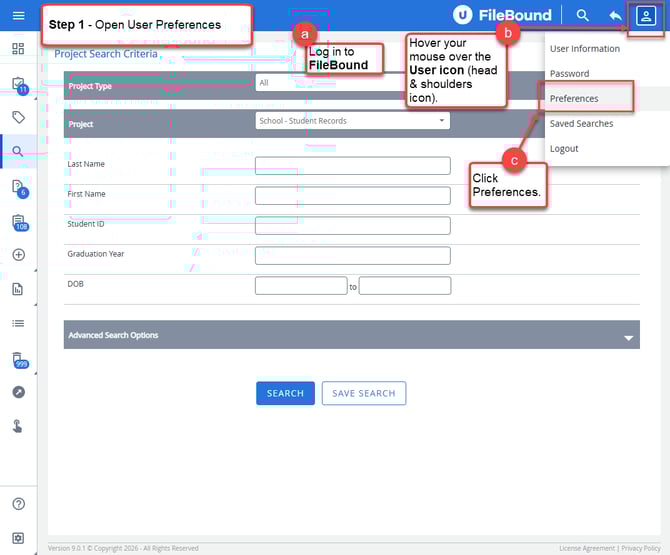
Step 1 – Open User Preferences
a. Log in to FileBound.
b. Hover your mouse over the User icon (head and shoulders icon) in the top-right corner of the screen.
c. Click Preferences from the dropdown menu.
Step 2 – Change the Default Viewer
a. Scroll down to the Document View section.
b. Locate the Default Viewer dropdown list.
c. Select Legacy Web Viewer from the list.
d. Click SAVE at the top of the screen.
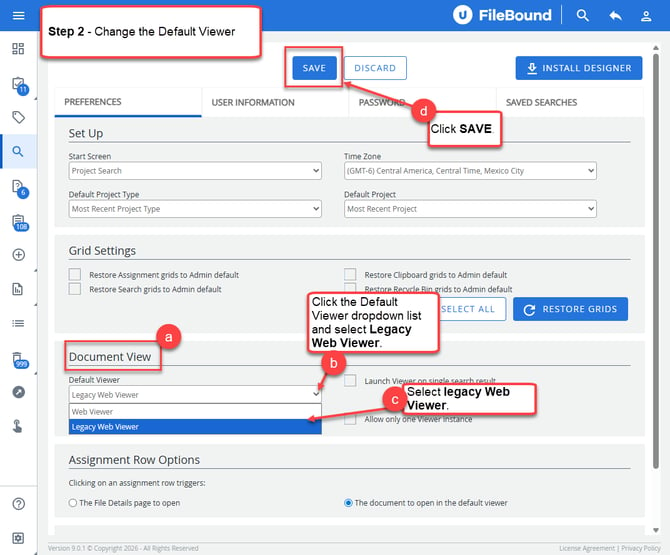
After saving, documents will open using the Legacy Web Viewer by default.