![Logo_IMS Technology Group_Final_IMS TG_Logo_Dark Bkg.svg]](https://knowledge.imstechnologygroup.com/hubfs/Logo_IMS%20Technology%20Group_Final_IMS%20TG_Logo_Dark%20Bkg.svg)
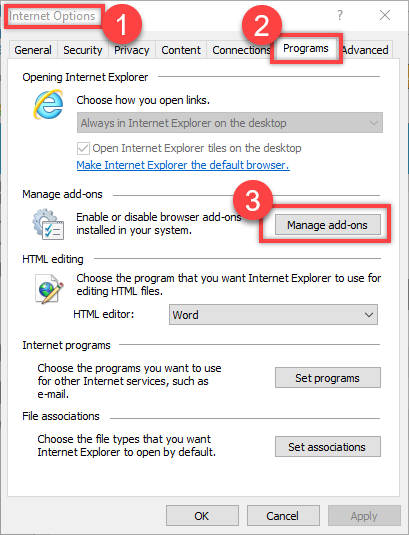
- Open Internet Options
- Click the Programs tab
- Click Manage add-ons
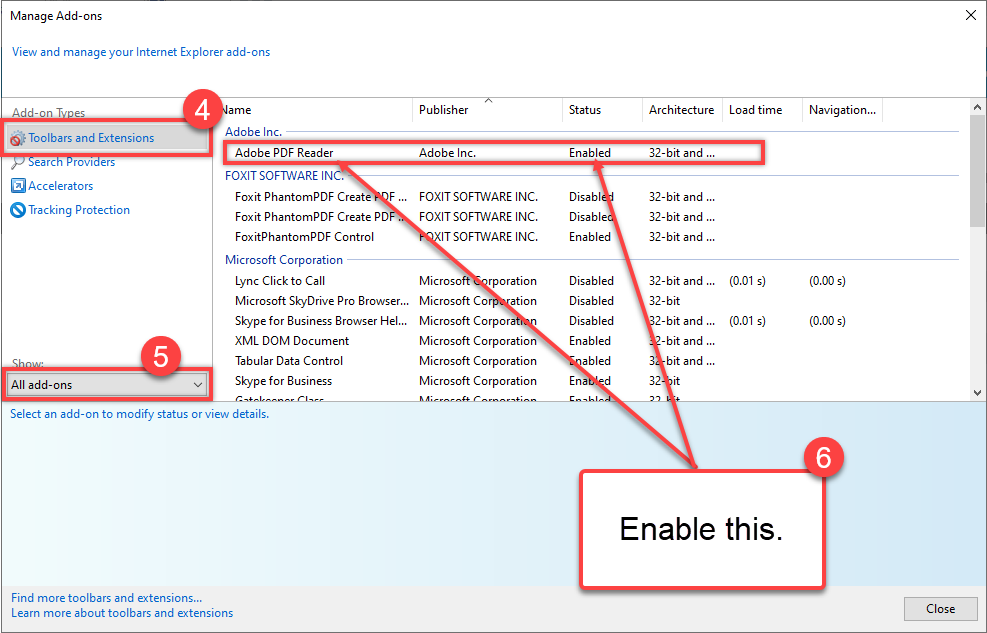
- Click Toobars and Extensions
- Select All add-ons
- Enable Adobe PDF Reader
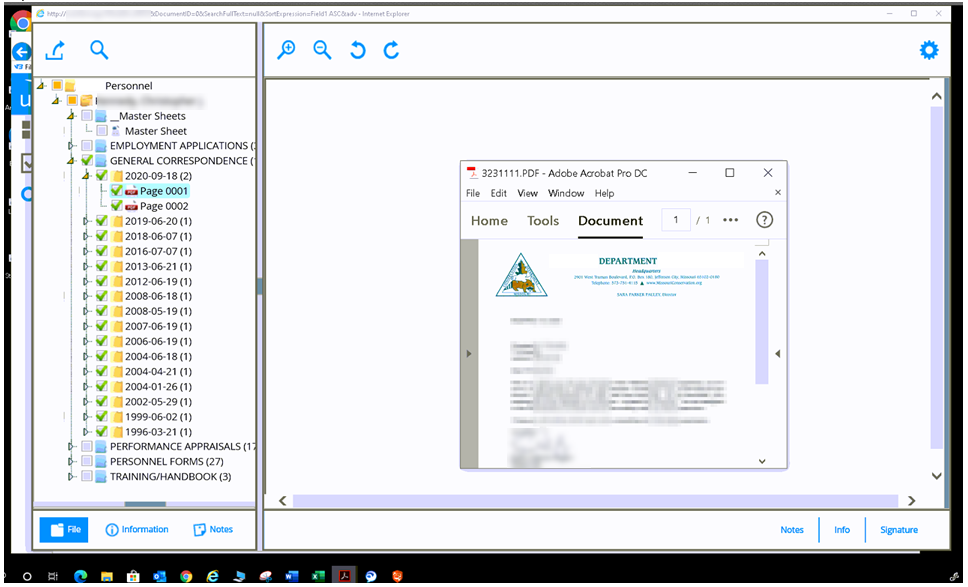
Example of how it open from Adobe Acrobat Pro DC instead of within the Web Viewer using Internet Explorer.
FB 7.5.x.x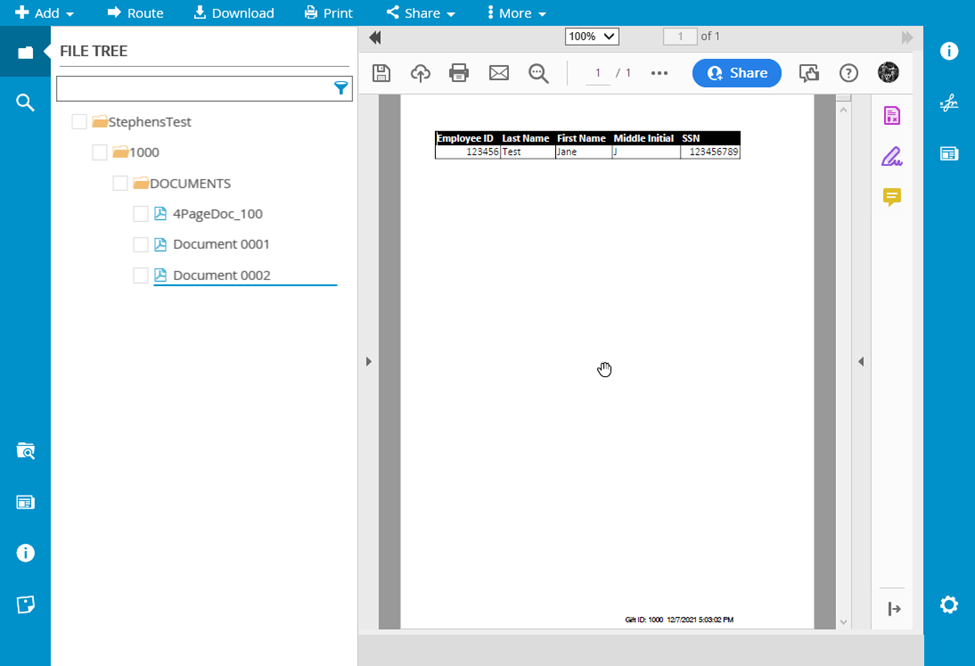
FB 7.4.6.9 Previous Layout