![Logo_IMS Technology Group_Final_IMS TG_Logo_Dark Bkg.svg]](https://knowledge.imstechnologygroup.com/hubfs/Logo_IMS%20Technology%20Group_Final_IMS%20TG_Logo_Dark%20Bkg.svg)
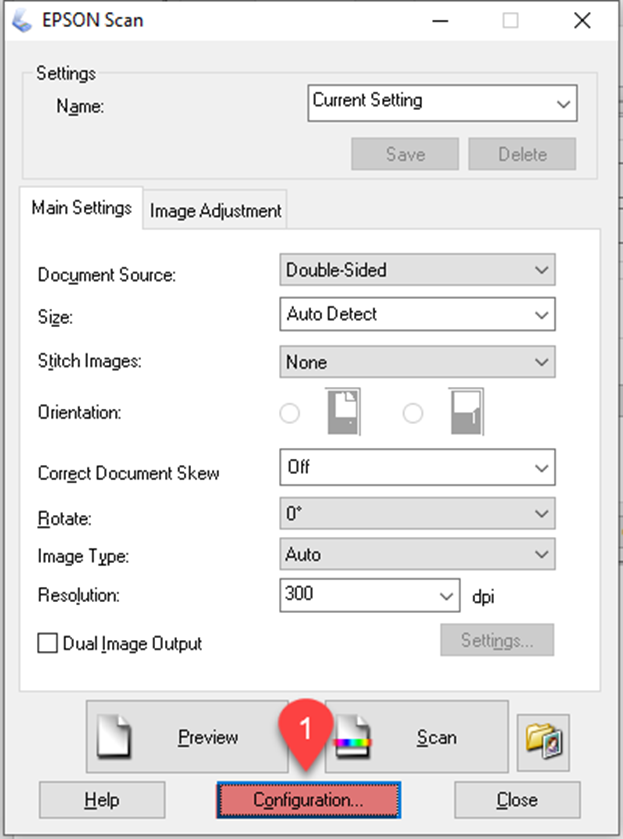
If you see a double feed error in the Epson Scan window or the Document Capture Pro window (Windows only), start Epson Scan and follow the steps below to not detect double feed.
- Select Configuration.
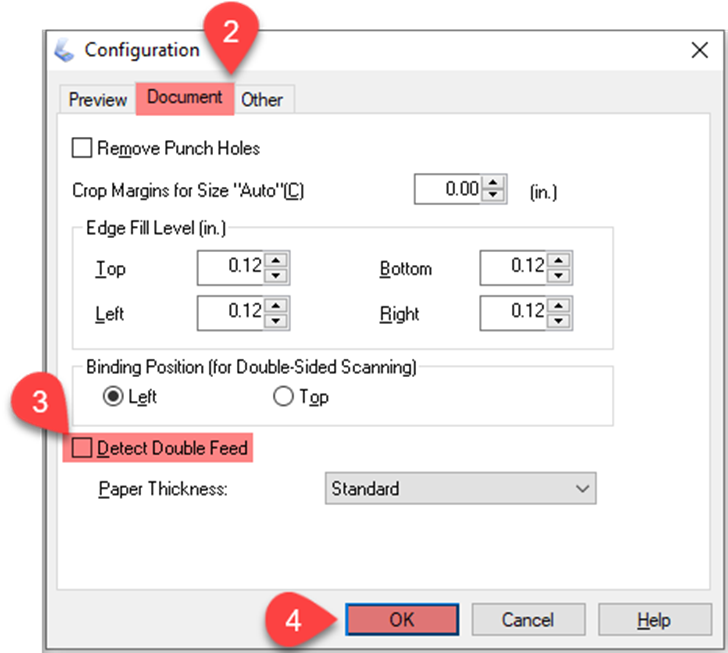
- Select Document tab.
- Uncheck Detect Double Feed.
- Click OK.