![Logo_IMS Technology Group_Final_IMS TG_Logo_Dark Bkg.svg]](https://knowledge.imstechnologygroup.com/hubfs/Logo_IMS%20Technology%20Group_Final_IMS%20TG_Logo_Dark%20Bkg.svg)
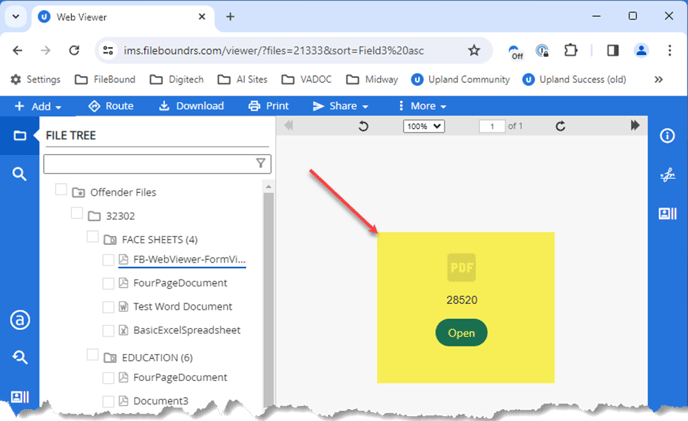
Problem: When using the FileBound Web Viewer with Chrome, instead of directly opening a PDF file to view it, the browser displays an option to "Open" it.
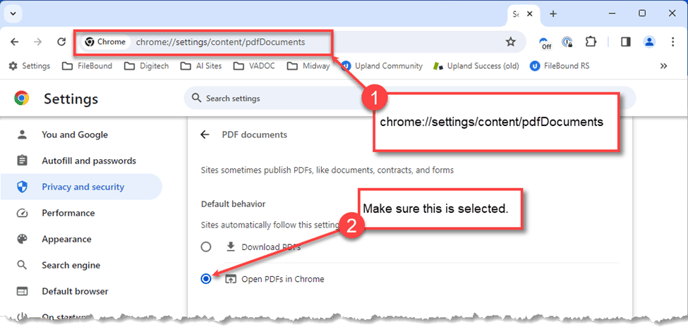
- To fix this issue, simply copy and paste chrome://settings/content/pdfDocuments into the address bar of your Chrome browser.
- Choose the setting to "Open PDF files in Chrome".
- You may need to close Chrome and then reopen it for the change to take effect.