![Logo_IMS Technology Group_Final_IMS TG_Logo_Dark Bkg.svg]](https://knowledge.imstechnologygroup.com/hubfs/Logo_IMS%20Technology%20Group_Final_IMS%20TG_Logo_Dark%20Bkg.svg)
Importer Pro Version: 7.9.1.0
Instructions to install Importer Pro as a Service.
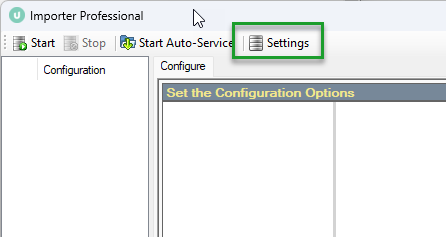
- Open Importer Pro and click Settings.
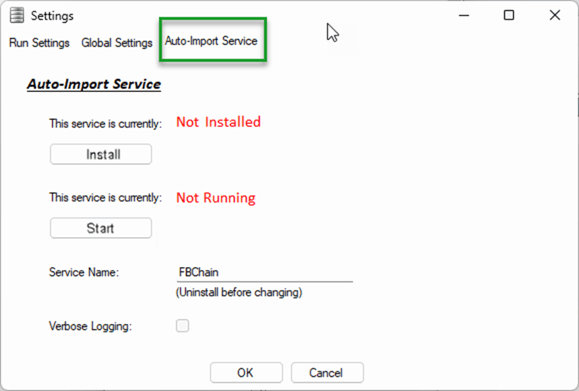
- Click Auto-Import Services
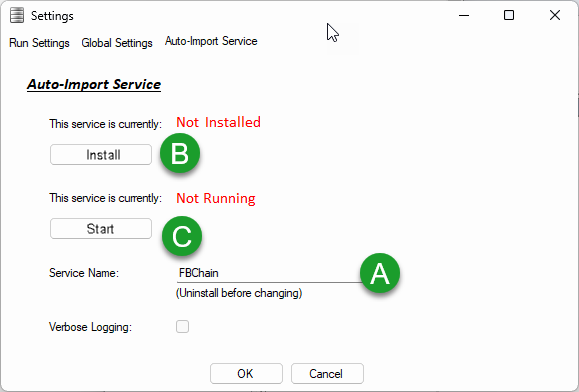
- Install & Configure the Service
- Name your Service
- Click the Install button. After installing, note that the red heading changed to "Installed".
- Once installed, the Start button is accessible. Click Start and the red heading changes to Started. Importer Pro is now running as a service.