![Logo_IMS Technology Group_Final_IMS TG_Logo_Dark Bkg.svg]](https://knowledge.imstechnologygroup.com/hubfs/Logo_IMS%20Technology%20Group_Final_IMS%20TG_Logo_Dark%20Bkg.svg)
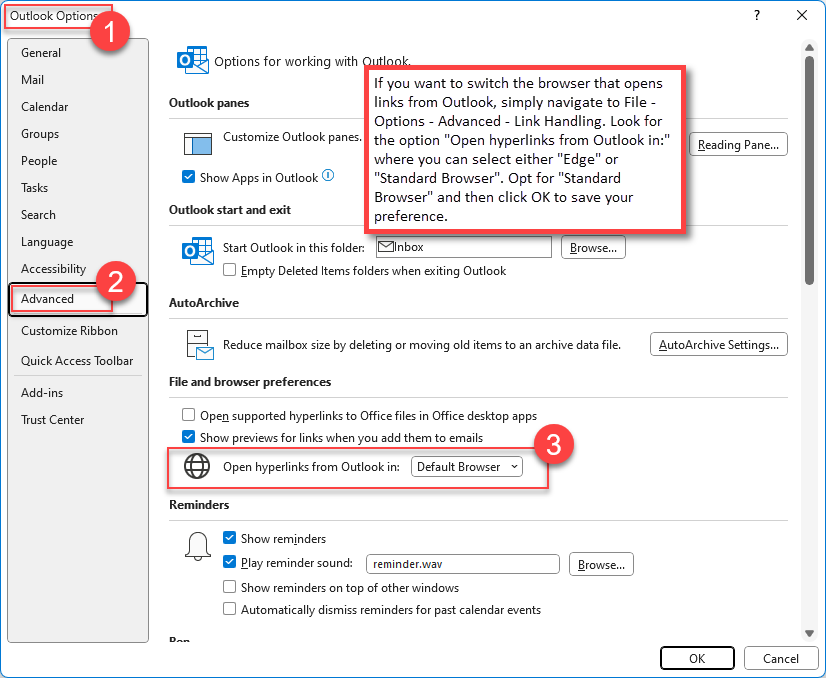
If you want to switch the browser that opens links from Outlook, simply navigate to File - Options - Advanced - Link Handling. Look for the option "Open hyperlinks from Outlook in:" where you can select either "Edge" or "Standard Browser". Opt for "Standard Browser" and then click OK to save your preference.