![Logo_IMS Technology Group_Final_IMS TG_Logo_Dark Bkg.svg]](https://knowledge.imstechnologygroup.com/hubfs/Logo_IMS%20Technology%20Group_Final_IMS%20TG_Logo_Dark%20Bkg.svg)
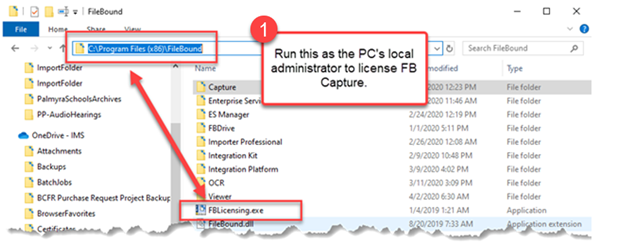
- Run “FBLicensing.exe” as the local administrator to license FileBound Capture. It is located in director c:\Program Files (x86)\Filebound.
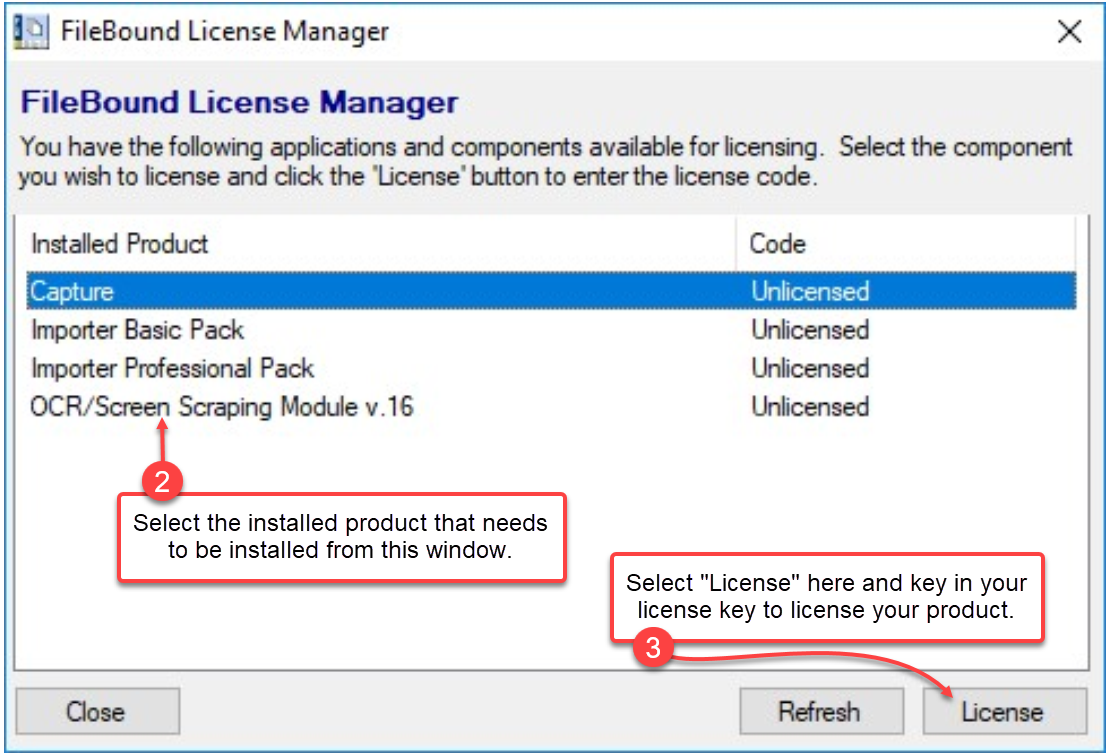
- Select the installed product that needs to be licensed from the FileBound License Manager screen as shown below.
- Select "License" and key in your license key to license your product.
 *Note - Each key can only be used once. If the license key is used on multiple PCs, both PCs will most likely change to demo mode.
 - Once complete verify “Users” have modify rights to the directory C:\ProgramData\FileBound Capture Lite, if they don’t please give them that authority.