![Logo_IMS Technology Group_Final_IMS TG_Logo_Dark Bkg.svg]](https://knowledge.imstechnologygroup.com/hubfs/Logo_IMS%20Technology%20Group_Final_IMS%20TG_Logo_Dark%20Bkg.svg)
- Add a custom action stencil after the picklist.
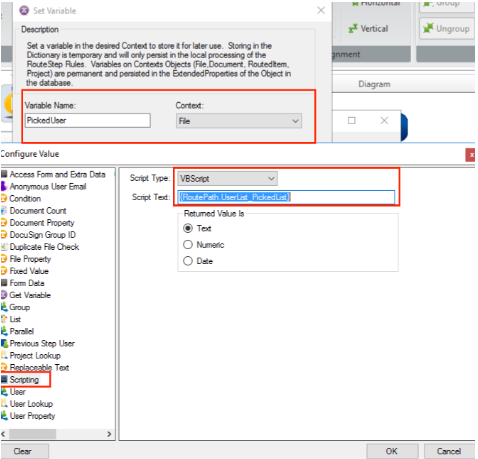
- Add a 'Set Variable' action
- Choose a name and context for your variable.
- For the value, select 'Scripting' in the panel on the left.
- Select script type 'VBScript' and paste the following value as the Script Text: {RoutePath.UserList_PickedList}
- You can now use that variable in later steps in the workflow.