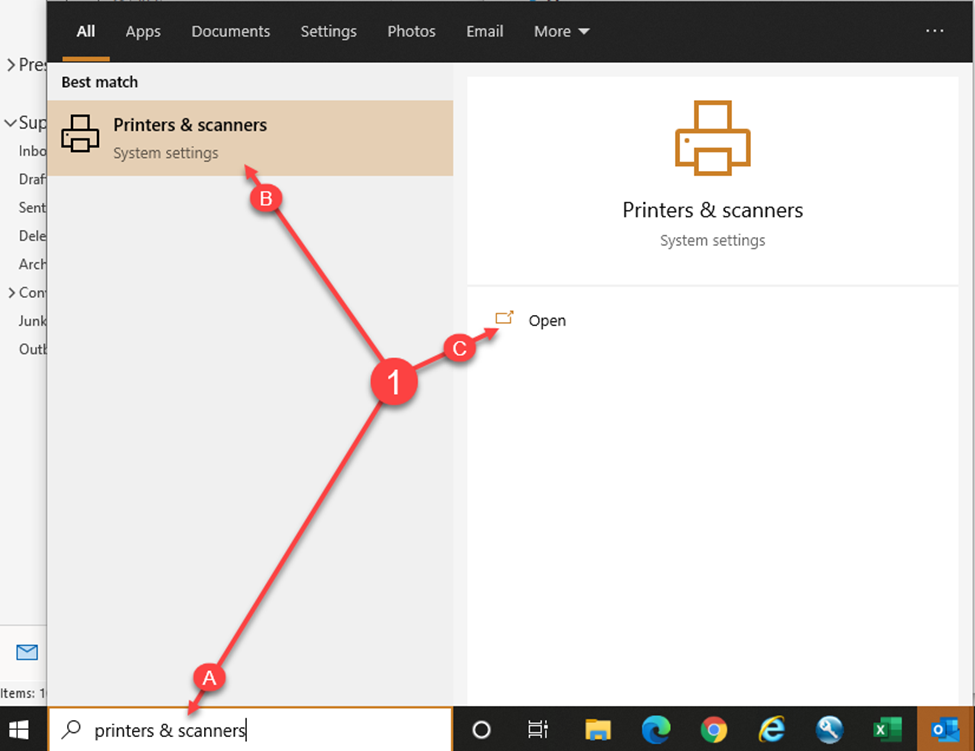
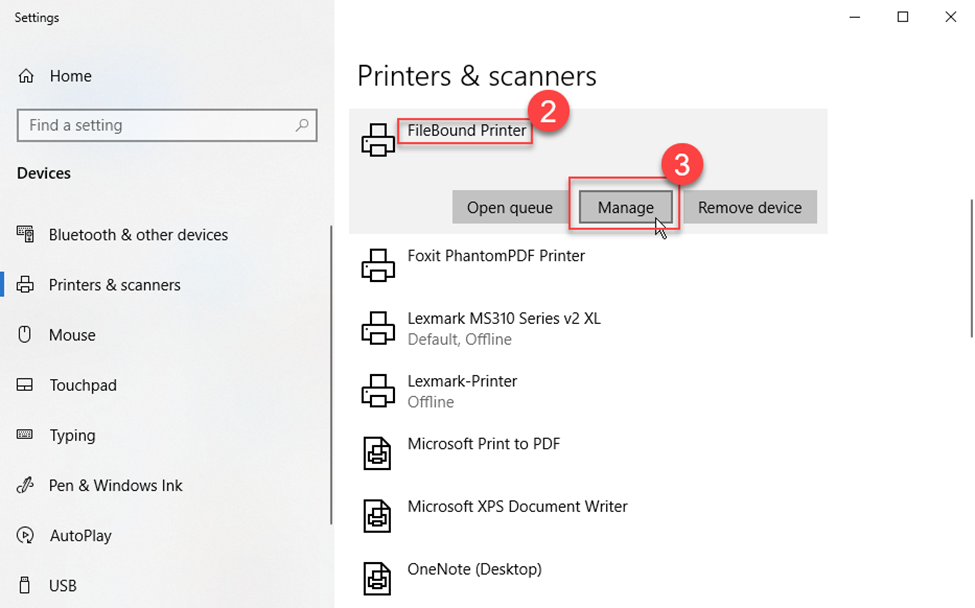
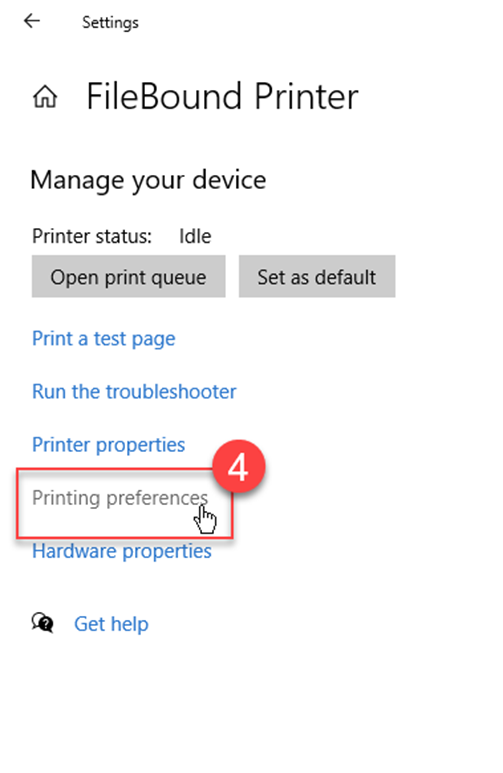
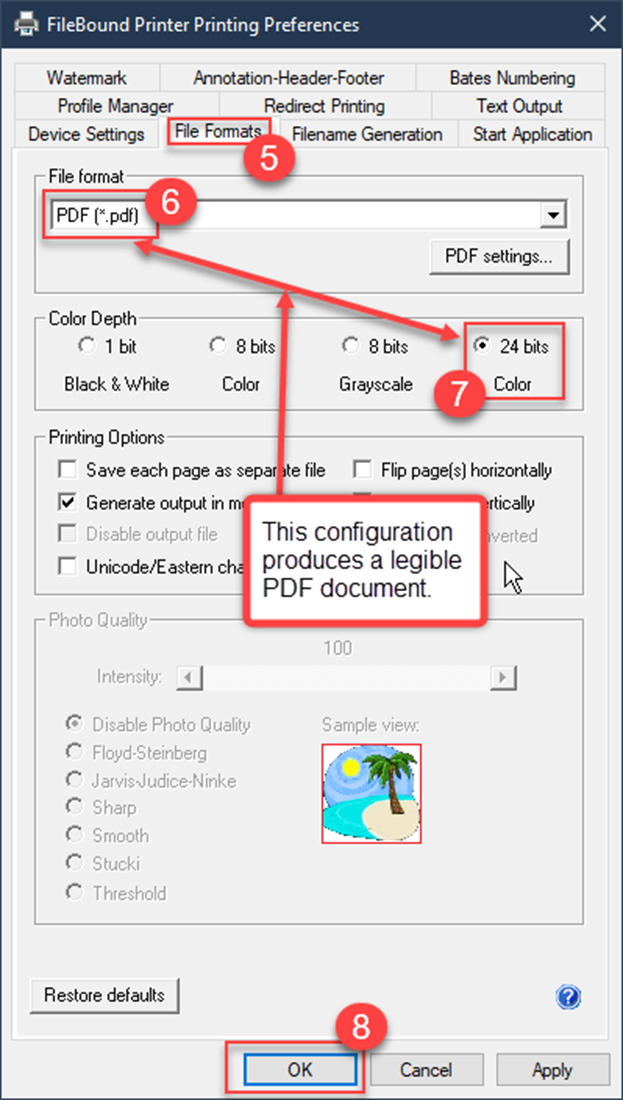
FileBound Connect Printer Configuration Recommendation We recommend configuring the FileBound Connect Printer Printing Preferences as shown below for the best results. Open Windows’s Printers & scanners applet. Select the FileBound Printer. Click Manage. Click Printing preferences. Click the File Formats tab. Select PDF (*.pdf) for the File format. Click 24 bits in the Color Depth section. Click OK.
![Logo_IMS Technology Group_Final_IMS TG_Logo_Dark Bkg.svg]](https://knowledge.imstechnologygroup.com/hubfs/Logo_IMS%20Technology%20Group_Final_IMS%20TG_Logo_Dark%20Bkg.svg)