![Logo_IMS Technology Group_Final_IMS TG_Logo_Dark Bkg.svg]](https://knowledge.imstechnologygroup.com/hubfs/Logo_IMS%20Technology%20Group_Final_IMS%20TG_Logo_Dark%20Bkg.svg)
The probable causes to this error are either a corrupted data file, or not having sufficient permissions to the Capture Lite folder.
- Check permissions
- Navigate to the Capture Lite folder (C:\ProgramData\FileBound Capture Lite) and make sure that all Users have MODIFY rights. Find the folder, right click on it and select Properties. Find the Security tab and review the permissions.
- Rename the Capture Lite folder
- If a data file is corrupted, you can rename the Capture Lite folder and by adding "_old" to it, then re-launch Capture. The directory will be recreated and should launch without error.
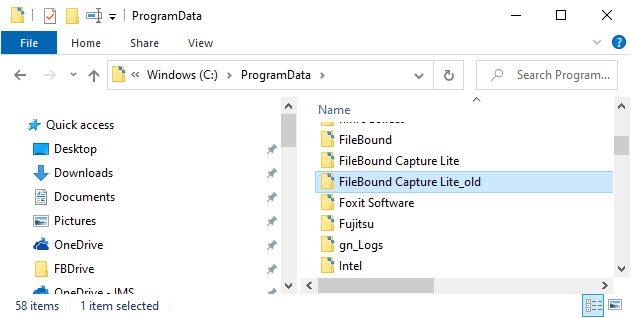
- If a data file is corrupted, you can rename the Capture Lite folder and by adding "_old" to it, then re-launch Capture. The directory will be recreated and should launch without error.