![Logo_IMS Technology Group_Final_IMS TG_Logo_Dark Bkg.svg]](https://knowledge.imstechnologygroup.com/hubfs/Logo_IMS%20Technology%20Group_Final_IMS%20TG_Logo_Dark%20Bkg.svg)
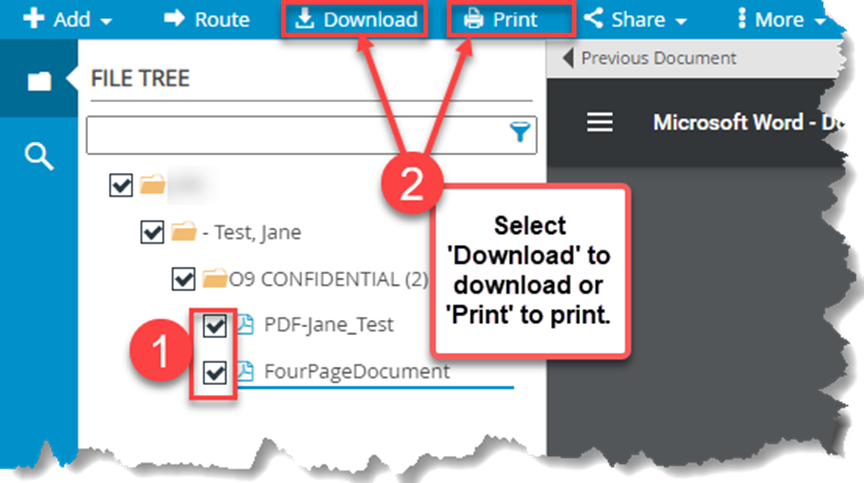
- From the FileBound Web Viewer place a check box next to each document you want to print or download.
- Select the appropriate action to "Download" or "Print" all documents at once. FileBound v7.5.x
 FileBound v8.x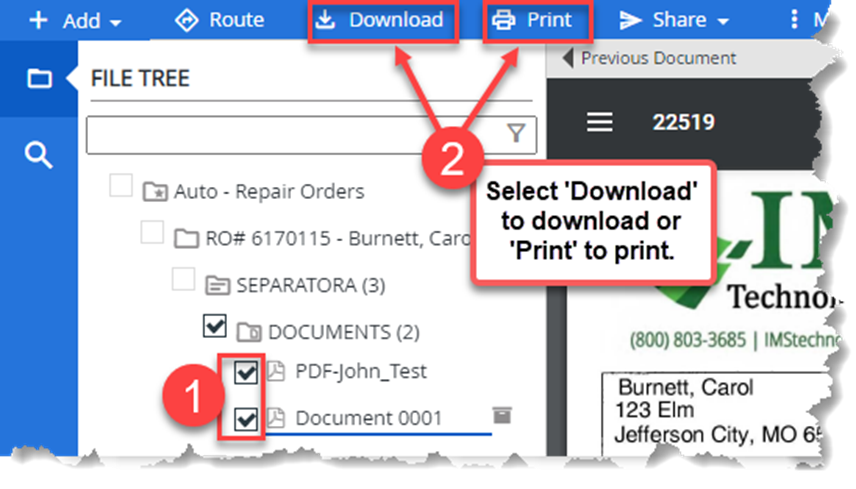
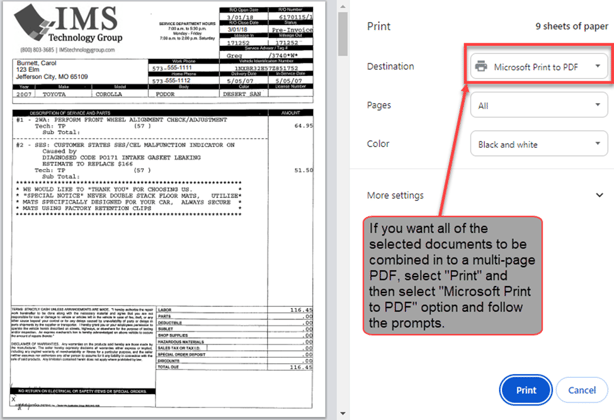
- If you would like all of the documents to be combined into a multi-page PDF, select "Print" and select "Microsoft Print to PDF" option and follow the prompts.
Note: The user must have "Document Exporting" permissions to download and "Document Printing" permissions to print.