![Logo_IMS Technology Group_Final_IMS TG_Logo_Dark Bkg.svg]](https://knowledge.imstechnologygroup.com/hubfs/Logo_IMS%20Technology%20Group_Final_IMS%20TG_Logo_Dark%20Bkg.svg)
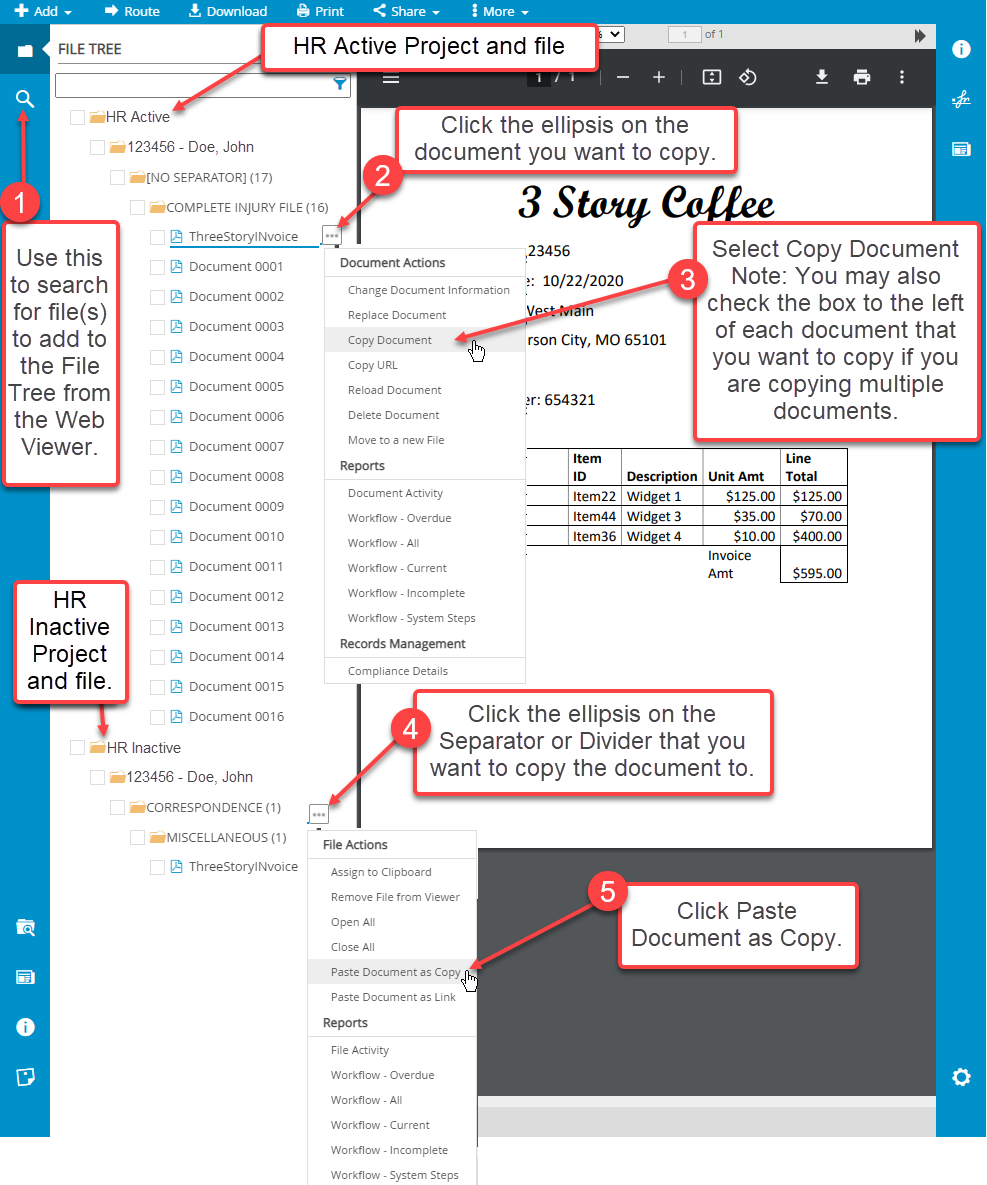
- Use the File Search tool to search for file(s) to add to the File Tree from the Web Viewer.
- Click Search for Files within the Web Viewer for additional information regarding the File Search tool.
- Click the ellipsis on the document you want to copy.
- Select Copy Document.
- Note: You may also check the box to the left of each document that you want to copy if you are copying multiple documents.
- Click the ellipsis on the Separator or Divider on the target file that you want to copy the document to.
- Click Past Document as Copy.