![Logo_IMS Technology Group_Final_IMS TG_Logo_Dark Bkg.svg]](https://knowledge.imstechnologygroup.com/hubfs/Logo_IMS%20Technology%20Group_Final_IMS%20TG_Logo_Dark%20Bkg.svg)
Captcha Control
A Captcha control has been added to the Form Designer Toolbox and allows Administrators to add a Google reCAPTCHA input to submission forms. By adding the Captcha control to a submission form, you can ensure that the user submitting the form is human and protect your FileBound site from spam.
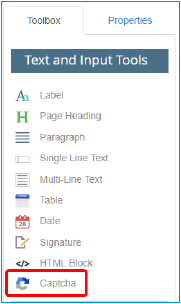
Use Case: Your company has a public Contact Us form. You have been receiving a lot of spam via this form submission. Adding a Captcha control to the form can prevent robots from submitting invalid forms.
Items of Note:
- reCAPTCHA functionality only works for forms that are available on the public portal. It is not supported in viewers or on forms in the Forms menu.
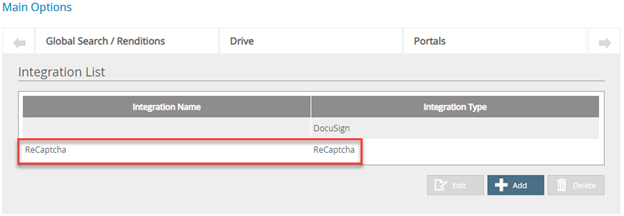
- A System Administrator must configure the ReCaptcha integration on the Main Options – Integrations tab before a Captcha control can be added to a form.
- Prior to configuring the reCaptcha integration on your FileBound site, you must register for a free Google reCAPTCHA account here. You will use the site key to configure the reCAPTCHA integration in FileBound.