- IMS Knowledge Base
- Code Snippets
- FileBound
-
FileBound
- Add Content
- Active Directory
- Administration
- Automation Processes
- Basic Search & Retrieval
- Capture
- Clipboard
- Connect
- Database
- Document Actions
- DocuSign
- E-Forms
- Enterprise Service
- Full Text Search
- General
- HelloSign
- Https
- Importer Pro
- Installation
- Licensing
- Maintenance
- Office 365
- Records Management
- Reports
- SAML
- Web Viewer
- Windows Viewer
- Workflow
-
Windows Settings
-
MS Teams Help
-
Equipment Guides
-
Scanners
-
Psigen
-
Code Snippets
-
PaperVision
Use Importer Pro to Upload OCR Data from a CSV File
For Import Pro to use a text file that is listed in a CSV file as the OCR data for a document that is uploading into FileBound:
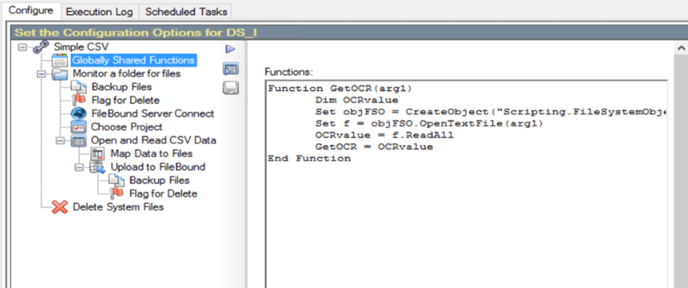
Add the following code snippet to the "Globally Shared Functions" section:Function GetOCR(arg1)
Dim OCRvalue
Set objFSO = CreateObject("Scripting.FileSystemObject")
Set f = objFSO.OpenTextFile(arg1)
OCRvalue = f.ReadAll
GetOCR = OCRvalue
End Function
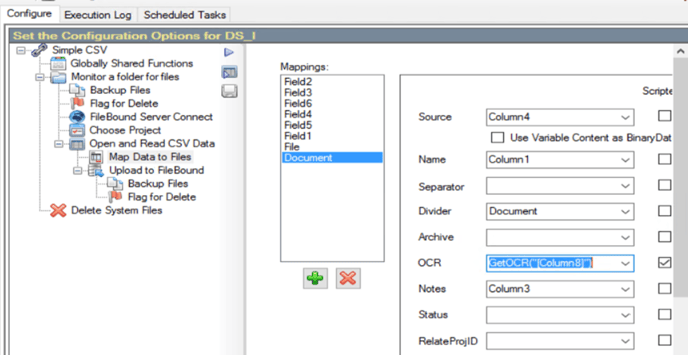
Include this code snippet in the Document OCR field mapping section to properly map the OCR value:
GetOCR("[Column8]")
**Replace 'Column8' with the specific column in the CSV file where the Txt file is located. Additionally, it is important to include the full path of the file in the CSV for proper functionality.**